> ## Documentation Index
> Fetch the complete documentation index at: https://help.supertape.com/llms.txt
> Use this file to discover all available pages before exploring further.
# Posts
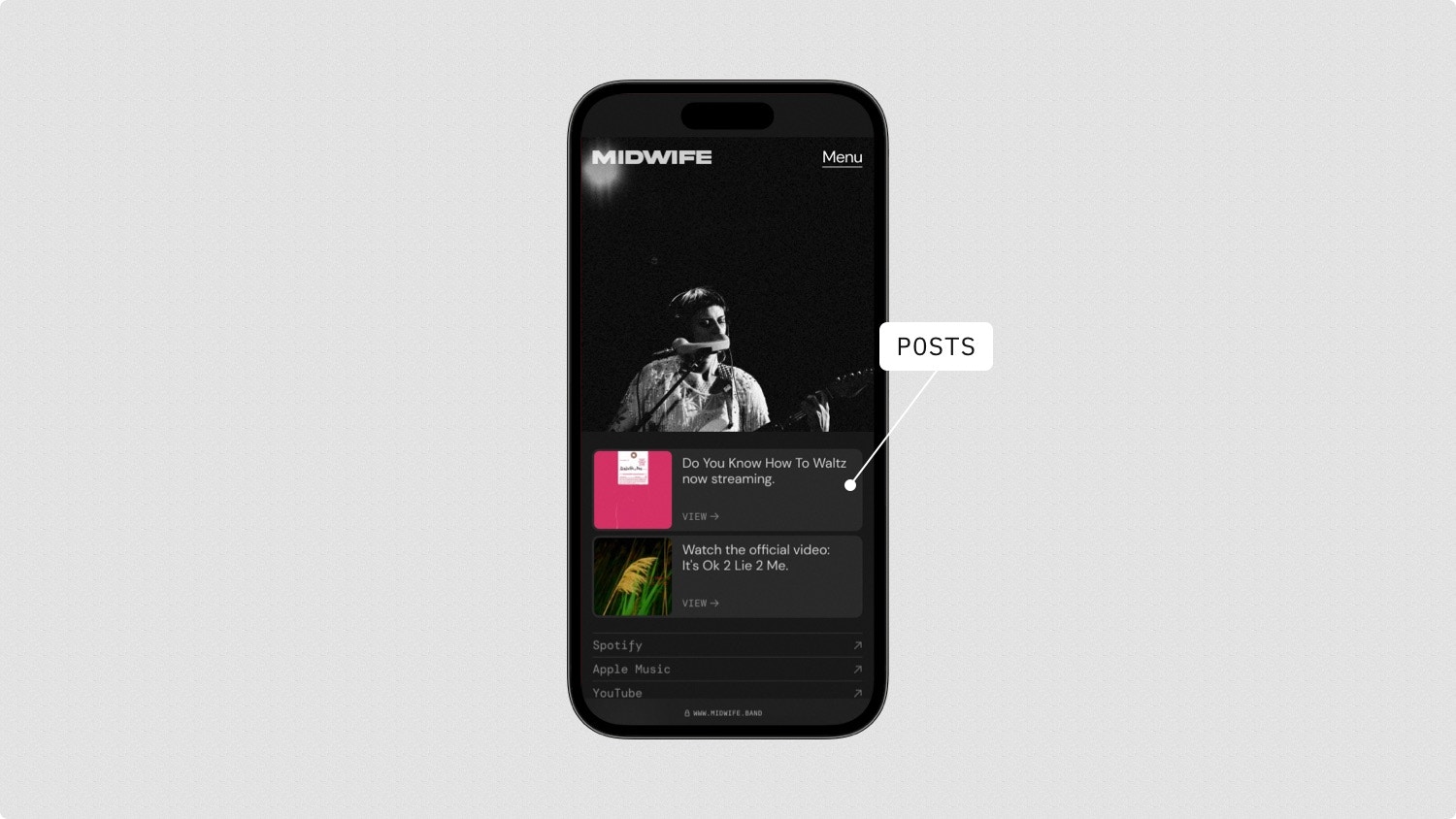
> Posts allow you to promote any important link on your homepage, making it a perfect link-in-bio for your fans.
 ## Types of posts
Post any album from your Music.
Post any product from your Merch.
Post any video from your Videos.
Post any event from your Tour.
Post any profile from your Platforms.
Post any page from your website.
Post any other external URL or email.
## Adding a post
1. Visit **Posts** and select **New** in the top right.
2. Select the type of item and then the specific item to post.
3. Add a short message, optionally change the image, and hit **Save**.
You can also post items from your catalog by selecting the items and hitting
**Post**.
## Editing a post
1. Visit **Posts** and find the post you'd like to edit.
2. Select the **three dots** next to the post and then **Edit**.
3. Make your changes and hit **Save**.
## Reordering posts
1. Visit **Posts** and find the post you'd like to reorder.
2. Drag the **handle** next to the post up or down into a new position.
## Deleting a post
1. Visit **Posts** and find the post you'd like to delete.
2. Select the **three dots** next to the post and then **Delete**.
## Types of posts
Post any album from your Music.
Post any product from your Merch.
Post any video from your Videos.
Post any event from your Tour.
Post any profile from your Platforms.
Post any page from your website.
Post any other external URL or email.
## Adding a post
1. Visit **Posts** and select **New** in the top right.
2. Select the type of item and then the specific item to post.
3. Add a short message, optionally change the image, and hit **Save**.
You can also post items from your catalog by selecting the items and hitting
**Post**.
## Editing a post
1. Visit **Posts** and find the post you'd like to edit.
2. Select the **three dots** next to the post and then **Edit**.
3. Make your changes and hit **Save**.
## Reordering posts
1. Visit **Posts** and find the post you'd like to reorder.
2. Drag the **handle** next to the post up or down into a new position.
## Deleting a post
1. Visit **Posts** and find the post you'd like to delete.
2. Select the **three dots** next to the post and then **Delete**.